Best Ultrawide Monitors in 2026
Ultrawide monitors deliver a fundamentally different computing experience: more horizontal screen real estate for multitasking, a wider gaming field of view, and the ability to replace a dual-monitor setup with a single display. But not all ultrawides are equal — panel technology, curve radius, and refresh rate vary enormously across the price range from $199 to $1,199.
Updated June 22, 2026
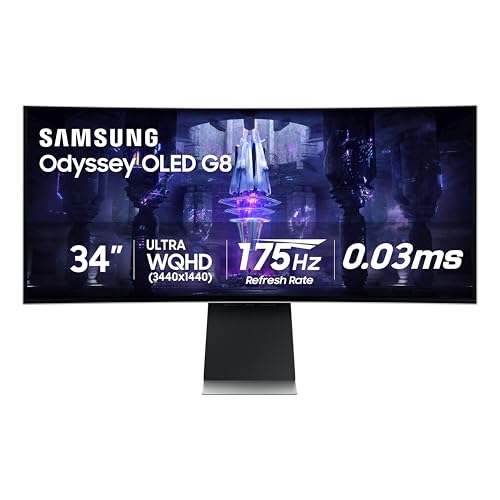
Samsung 34" Odyssey OLED G8
Samsung Odyssey OLED G8 34 at $849 matches the Alienware in OLED panel quality and adds Samsung's Tizen OS for direct streaming without a PC, a built-in hub for smart home control, and a USB-C 90W connection that docks a laptop while gaming. Better for mixed gaming and productivity workflows.
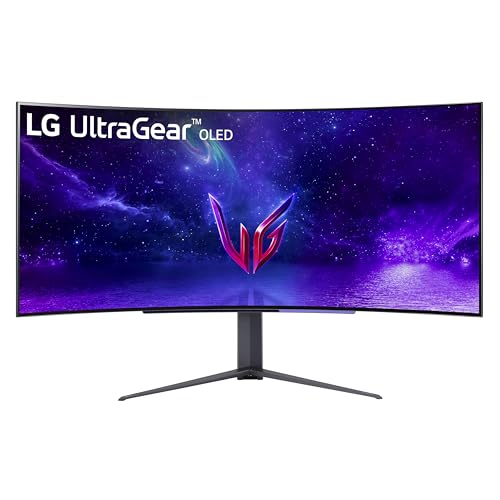
LG 45GR95QE-B UltraGear OLED 45"
LG 45GR95QE-B UltraGear OLED 45 provides an enormous 45-inch curved canvas at 3440×1440 and 240Hz — effectively replacing a dual-monitor setup with a single curved display. The OLED panel's 0.03ms response makes it as capable for competitive gaming as it is for spreadsheet-heavy productivity. Only justified if desk space allows.
Side-by-Side Comparison
| Product | Score | Price | Panel | Resolution | Refresh Rate | Response Time | HDR |
|---|---|---|---|---|---|---|---|
Best OLED Ultrawide | 8.7 | $849 | 34" QD-OLED | WQHD 3440×1440 | 175Hz | — | DisplayHDR True Black 400 |
Best 45-inch Ultrawide | 8.5 | $1,199 | 45" WOLED | WQHD 3440×1440 | 240Hz | 0.03ms GtG | DisplayHDR True Black 400 |
What to Look for When Buying
34-inch at 3440×1440 is the ultrawide sweet spot for most users. This resolution provides enough vertical pixels for sharp text at normal desk distances, enough horizontal space to run two full application windows side by side, and manageable GPU requirements. 49-inch super-ultrawides (5120×1440) are the alternative for those who want a true dual-monitor replacement, but they require more desk depth and more GPU power.
Curve radius matters for ultrawides more than regular monitors. A 1800R curve (1.8-meter bend radius) wraps the edges of a 34-inch display within your peripheral vision without requiring head movement. Flatter curves (3000R+) reduce peripheral immersion but look less distorted when viewing content from angles. For single-user, seated use, 1800R is preferable.
Burn-in risk on OLED ultrawides: these displays are often used for 8+ hours daily with static application chrome (taskbars, dock icons, application menus). OLED burn-in from static content is real over multi-year timeframes. If you use the monitor primarily as a desktop display with persistent UI elements, an IPS ultrawide reduces this risk significantly.
GPU requirements scale with resolution. Driving 3440×1440 at 120Hz requires roughly an RTX 4070 or RX 7800 XT for modern games. At 175Hz+, you need an RTX 4070 Ti or better. Buying a 175Hz ultrawide with a mid-range GPU means you'll often run below the rated refresh rate in demanding games.
Want to see every Monitors we've reviewed?
Browse All Monitors →Affiliate Disclosure: TechPicksPro participates in affiliate programs including the Amazon Associates Program. When you purchase through links on our site, we may earn a small commission at no additional cost to you. This helps us keep the lights on and continue publishing independent reviews. Our editorial opinions are always our own.