Best Tablets for Kids in 2026
The best kids tablet depends on the child's age, the content you want them to access, and how much parental control you need. Amazon's Fire line dominates under $200 with built-in parental controls and kid-safe content; Android and iPad options offer better app ecosystems for older kids and teens.
Updated June 22, 2026
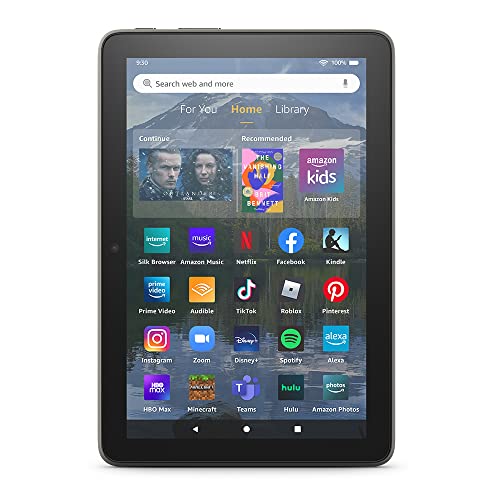
Amazon Fire HD 8 Plus (2022)
Amazon Fire HD 8 Plus at $79 (often $54 on sale) runs Amazon Kids parental controls and supports an optional kid-proof case sold separately. It's large enough for streaming and reading but light enough for young children to hold. If budget is the priority and the child is under 10, Fire HD 8 Plus with a case is the most cost-effective safe tablet.
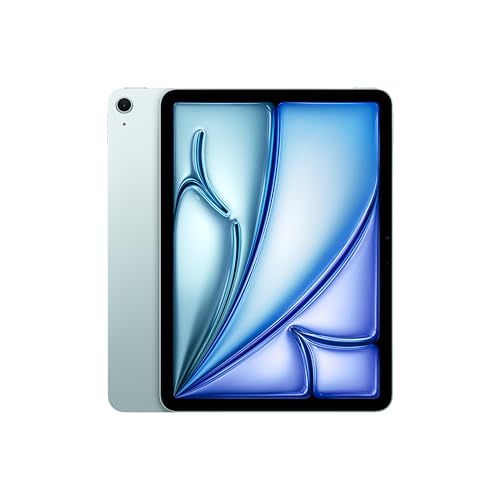
Apple iPad Air 11" (M2, 2024)
iPad Air M2 at $599 is the best tablet for teens who need a productivity device, not just an entertainment screen. Apple Screen Time parental controls are among the most sophisticated available. The M2 chip handles demanding creative apps — GarageBand, iMovie, Procreate, and iPad-native Microsoft Office — that teens use for school projects and creative work.
Side-by-Side Comparison
| Product | Score | Price | Processor | Storage | Display | Connectivity |
|---|---|---|---|---|---|---|
Best Under $100 for Kids | 7.5 | $79 | Octa-core 2.0 GHz | 32 GB – 64 GB + microSD | 8" HD (1280×800) | Wi-Fi 5, Bluetooth 5.0, Wireless charging |
Best iPad for Teens | 8.8 | $599 | Apple M2 (8-core CPU, 10-core GPU) | 128 GB – 1 TB | 11" Liquid Retina IPS, 2360×1640, 60Hz | Wi-Fi 6E, Bluetooth 5.3, optional 5G |
What to Look for When Buying
Age matters more than price for kids tablets. Ages 2–8 benefit most from Amazon Fire Kids editions — the curated content, built-in case, and worry-free warranty address the actual concerns parents have. Ages 9–13 often outgrow Amazon's content restrictions; a Samsung Tab A9+ or Lenovo Tab M11 with Google Family Link provides more educational apps while keeping parental controls. Ages 14+ are better served by a standard tablet or iPad where school software is available.
Parental control systems: Amazon Kids is the most comprehensive out-of-the-box, with age-appropriate content filters, daily usage limits, and the ability to review activity. Google Family Link works on any Android device and lets parents approve app downloads and set screen time. Apple Screen Time is the most sophisticated and integrates deeply with iOS, including communication limits. All three require the parent to set up a child account before handing over the device.
Durability: kids drop tablets. Amazon Kids edition tablets include a thick rubber case that raises the device off the ground to prevent screen-first falls. Standard tablets without protective cases are more vulnerable — add a $15–$30 case to any tablet that doesn't include one. Screen protectors prevent surface scratches but don't help with drops.
Content costs add up. Amazon Kids+ is $4/month after the 1-year free trial (Fire HD 10 Kids includes 2 years). Google Play apps purchased on a child's account cost the same as adult apps — use Google Family Link's purchase approval to avoid surprise charges. Apple's App Store family sharing lets parents share paid apps with child accounts without buying them again.
Want to see every Tablets we've reviewed?
Browse All Tablets →Affiliate Disclosure: TechPicksPro participates in affiliate programs including the Amazon Associates Program. When you purchase through links on our site, we may earn a small commission at no additional cost to you. This helps us keep the lights on and continue publishing independent reviews. Our editorial opinions are always our own.