Best Monitors for Home Office in 2026
Home office monitors prioritize different things than gaming monitors: ergonomic adjustability, eye-care features, USB-C docking, and productivity-friendly color accuracy matter more than refresh rate or HDR performance. These picks are optimized for the 8-hour workday.
Updated June 22, 2026
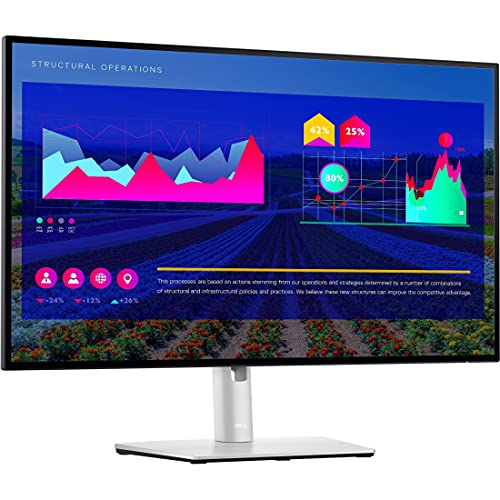
Dell UltraSharp U2722D 27" QHD
Dell UltraSharp U2722D checks every home office box: 4K resolution, USB-C 90W power delivery, full ergonomic adjustability, and IPS Black panel with 2000:1 contrast ratio. The built-in 4-port USB hub effectively docks a laptop with one cable — ideal for remote workers.
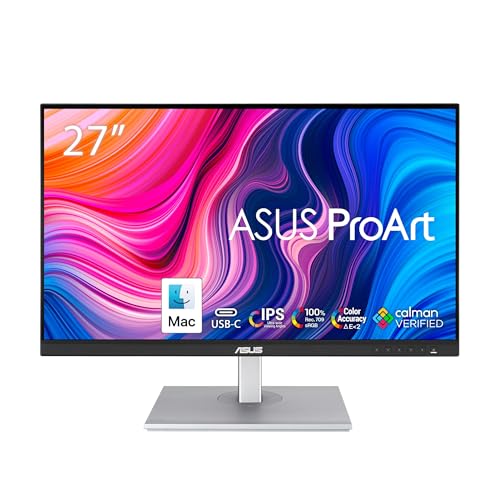
ASUS ProArt PA278CV 27" WQHD
ASUS ProArt PA278CV is factory calibrated to deltaE<2 and covers 100% sRGB and 95% DCI-P3 — necessary for designers and photographers who need accurate colors for client work. USB-C 65W power delivery and full height/tilt/swivel/pivot adjustment make it a complete package.
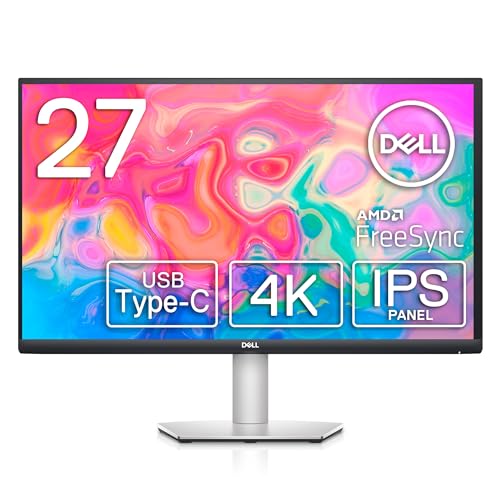
Dell S2722QC 27" 4K USB-C Monitor
Dell S2722QC delivers 4K IPS quality and USB-C 65W power delivery at $399 — the most affordable single-cable docking solution for laptop users. The 27-inch size is the sweet spot for most desks, and Dell's display panel quality at this price is hard to beat.
Side-by-Side Comparison
| Product | Score | Price | Panel | Resolution | Refresh Rate | Color Coverage | Ports |
|---|---|---|---|---|---|---|---|
Best Overall Home Office Monitor | 8.4 | $399 | 27" IPS | QHD 2560×1440 | 60Hz | 99% sRGB | 1x Thunderbolt 4 (90W), 1x DisplayPort in/out, 2x HDMI, 5x USB-A |
Best Color Accuracy | 8.5 | $349 | 27" IPS | WQHD 2560×1440 | 75Hz | 100% sRGB, 100% Rec.709 | 1x USB-C 65W, 1x DisplayPort, 2x HDMI, 4x USB-A |
Best Value with USB-C | 8.0 | $399 | 27" IPS | 4K UHD 3840×2160 | 60Hz | 95% sRGB | 1x HDMI 2.0, 1x DisplayPort 1.2, 1x USB-C 65W, 4x USB-A 3.2 |
What to Look for When Buying
USB-C power delivery wattage is the most important spec for laptop users. 65W charges most ultrabooks while they work; 90W charges most productivity laptops; gaming laptops typically need 100W+ and can't be powered by a monitor. Check your laptop's USB-C power draw before buying.
Panel type for home office: IPS or IPS-Black panels provide wide viewing angles that matter for side-by-side comparisons and color accuracy that matters for design work. VA panels have better contrast (useful for reading documents in dark environments) but narrower viewing angles and slightly worse color consistency. For most home office users, IPS is the right choice.
Ergonomic adjustment is undervalued until your neck hurts. A monitor with full height, tilt, swivel, and pivot adjustment lets you position the display precisely at eye level, reducing neck strain over 8-hour workdays. Monitors without height adjustment force you to use books to raise them or slouch to lower them.
Eye care features (low blue light modes, flicker-free backlights) have become standard on business monitors and are worth having. BenQ's Eye-Care technology and ViewSonic's proprietary modes are marketing names for flicker-free dimming and warm color modes — they reduce eye strain during long sessions in ways that are measurable in user studies.
Want to see every Monitors we've reviewed?
Browse All Monitors →Affiliate Disclosure: TechPicksPro participates in affiliate programs including the Amazon Associates Program. When you purchase through links on our site, we may earn a small commission at no additional cost to you. This helps us keep the lights on and continue publishing independent reviews. Our editorial opinions are always our own.