Best MacBooks in 2026 — Which One Should You Buy?
Apple's MacBook lineup in 2026 spans four models across two chip generations, creating genuine overlap that makes choosing harder than it should be. The key question isn't which MacBook is 'best' — it's which one matches what you actually do.
Updated June 22, 2026
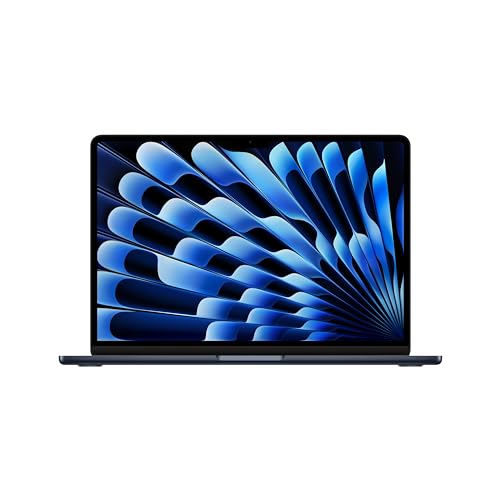
Apple MacBook Air 15" (M3)
MacBook Air M3 13-inch handles 90% of workflows brilliantly — writing, coding, video calls, photo editing, even 4K video exports — without a fan and with 15+ hours of real battery life. The remaining 10% who should look elsewhere are those doing sustained heavy rendering or working with large ML models.
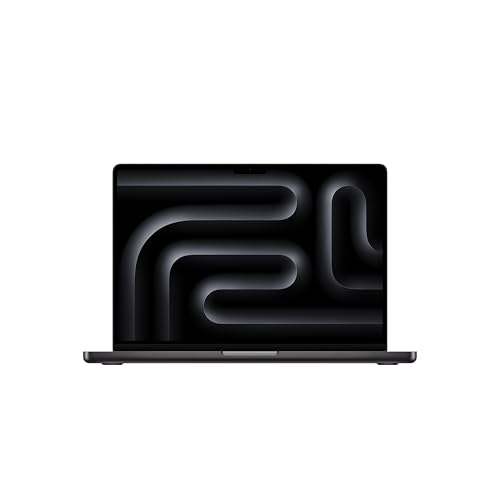
Apple MacBook Pro 14" (M4 Pro)
MacBook Pro 14 M4 Pro adds a ProMotion 120Hz display, three Thunderbolt 5 ports, an SD card slot, an HDMI port, and MagSafe charging — hardware the Air omits. For developers running Docker or LLMs locally, video editors working with RAW files, and audio producers running plugin-heavy sessions, the Pro chip makes a real difference.
Side-by-Side Comparison
| Product | Score | Price | Processor | RAM | Storage | Display | Battery | Weight |
|---|---|---|---|---|---|---|---|---|
Best for Most People | 8.8 | $1,299 | Apple M3 (8-core CPU, 10-core GPU) | 8 GB – 24 GB unified memory | 256 GB – 2 TB SSD | 15.3" Liquid Retina, 2880×1864, 224 ppi | Up to 18 hours | 3.3 lbs (1.51 kg) |
Best Performance MacBook | 9.0 | $1,999 | Apple M4 Pro (12-core CPU, 20-core GPU) | 24 GB – 64 GB unified memory | 512 GB – 8 TB SSD | 14.2" Liquid Retina XDR, 3024×1964, 120Hz ProMotion | Up to 22 hours | 3.5 lbs (1.61 kg) |
What to Look for When Buying
MacBook Air vs. MacBook Pro: the M3 Air and M4 Pro chips are more different than the names suggest. The Air has no fan and throttles under sustained heavy workloads after ~15-20 minutes. The Pro maintains peak performance indefinitely. If you run rendering, heavy compilation, or model inference for more than 20 minutes at a time, the Pro is worth the extra cost.
Memory is the most critical configuration decision and cannot be changed after purchase. 16GB is the baseline for most workflows; 24GB is necessary for developers running VMs or large Docker environments; 32GB+ is for ML practitioners working with local models. The price jump to 32GB is steep — $400+ — but much less than the cost of buying a second MacBook.
The M3 vs. M4 question: the M4 Pro is meaningfully faster than M3 Pro for GPU-bound tasks and has more memory bandwidth. For CPU-bound work, the gap is smaller — roughly 15-20% faster. If you're buying new, the M4 generation is worth it. If you find M3 at a significant discount, it remains an excellent chip.
Storage: the base 256GB SSD is too small for most workflows after accounting for applications, documents, and OS overhead. 512GB is the practical minimum; 1TB is comfortable. macOS's Unified Memory architecture uses fast storage as swap — a slow or nearly-full SSD degrades performance noticeably.
Want to see every Laptops we've reviewed?
Browse All Laptops →Affiliate Disclosure: TechPicksPro participates in affiliate programs including the Amazon Associates Program. When you purchase through links on our site, we may earn a small commission at no additional cost to you. This helps us keep the lights on and continue publishing independent reviews. Our editorial opinions are always our own.