Best Laptops for Students in 2026
The best student laptop isn't the fastest — it's the one that lasts through a full day of classes, fits comfortably in a backpack, and handles everything from essay drafts to Zoom calls without heating up your lap. These picks cover every budget and use case.
Updated June 22, 2026
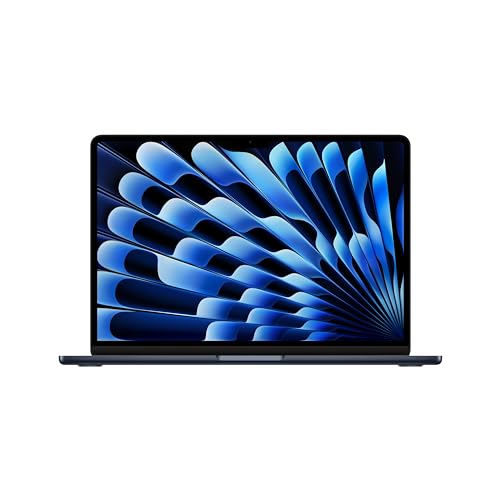
Apple MacBook Air 15" (M3)
MacBook Air M3 lasts 15+ real-world hours, weighs 2.7 lbs, and handles everything from video editing to Python notebooks without a fan. The ecosystem lock-in is real, but for students already in the Apple ecosystem, nothing else competes on the battery + performance combination.

Acer Aspire 5 (A515-58M)
At $549, the Acer Aspire 5 delivers a full HD IPS display, discrete graphics, and a proper number row — features that pricier 'slim' laptops sacrifice. It's heavier and the battery is only 8 hours, but you get a capable Windows machine without sacrificing specs to save weight.

ASUS ZenBook 14 OLED (UX3405)
Zenbook 14 OLED's 2.8K OLED display at $1,099 makes reading papers and watching lectures genuinely more comfortable than any IPS display. Paired with a 13th-gen Intel CPU and 16GB RAM, it handles multitasking without slowdown. The step up from budget makes sense for students who spend 8+ hours daily on screen.

Framework Laptop 13 (AMD Ryzen)
Framework 13 AMD lets you replace the battery, RAM, SSD, display, and ports yourself — all with standard screwdrivers. At $1,049, it's not the cheapest, but a laptop you can service at home could outlast two or three non-repairable alternatives over a 4-year degree.
Side-by-Side Comparison
| Product | Score | Price | Processor | RAM | Storage | Display | Battery | Weight |
|---|---|---|---|---|---|---|---|---|
Best Overall for Students | 8.8 | $1,299 | Apple M3 (8-core CPU, 10-core GPU) | 8 GB – 24 GB unified memory | 256 GB – 2 TB SSD | 15.3" Liquid Retina, 2880×1864, 224 ppi | Up to 18 hours | 3.3 lbs (1.51 kg) |
Best Budget Windows Laptop | 7.5 | $549 | Intel Core i5-1335U | 8 GB DDR5 (upgradeable) | 512 GB NVMe SSD | 15.6" FHD IPS, 1920×1080, 60Hz | Up to 8 hours | 3.97 lbs (1.80 kg) |
Best Premium Student Laptop | 8.4 | $1,099 | Intel Core Ultra 7 155H | 16 GB – 32 GB LPDDR5X | 512 GB – 1 TB PCIe 4.0 SSD | 14" 2.8K OLED, 2880×1800, 120Hz | Up to 13 hours | 2.79 lbs (1.27 kg) |
Best for Repairability | 7.8 | $1,049 | AMD Ryzen 7 7840U | 16 GB – 64 GB DDR5 (user-upgradeable) | 512 GB – 4 TB NVMe (user-upgradeable) | 13.5" 2256×1504 IPS, 60Hz | 61 Wh | 2.87 lbs (1.30 kg) |
What to Look for When Buying
Get 16GB of RAM in 2026. Many sub-$700 laptops still ship with 8GB, which causes slowdowns when running three browser tabs, Spotify, and a Google Doc simultaneously. If RAM is soldered (non-upgradeable), 8GB will feel inadequate before your first year ends.
Battery claims are tested under controlled conditions — usually 150-200 nit display brightness with light tasks. Under real student conditions (50%+ brightness, video calls, multiple tabs), subtract 30-40% from the spec. A '12-hour battery' is a 7-8 hour real-world battery.
Display quality matters more than students often realize. Cheap TN panels cause eye strain during long sessions; IPS or OLED displays are significantly more comfortable. Glare is also critical — matte anti-glare coatings beat glossy in every lecture hall and library.
For STEM majors: check whether your department's software (MATLAB, specific simulation tools, Adobe suite) runs on the OS you're considering. Some Windows-only tools make a MacBook a poor fit regardless of its other advantages.
Want to see every Laptops we've reviewed?
Browse All Laptops →Affiliate Disclosure: TechPicksPro participates in affiliate programs including the Amazon Associates Program. When you purchase through links on our site, we may earn a small commission at no additional cost to you. This helps us keep the lights on and continue publishing independent reviews. Our editorial opinions are always our own.