Best iPads in 2026 — Which iPad Should You Buy?
Apple makes six iPad models in 2026, and choosing between them requires understanding what each gives up to hit its price point. The answer isn't always 'buy the most expensive one' — for many users, iPad Air delivers 95% of the Pro experience at a meaningfully lower price.
Updated June 22, 2026
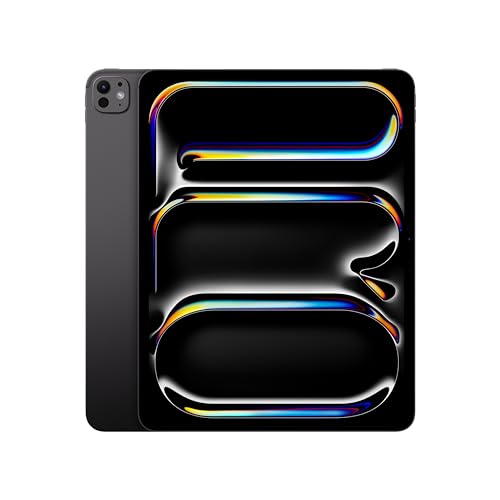
Apple iPad Pro 13" (M4, 2024)
iPad Pro 13 M4 offers the same M4 chip and OLED display as the 11-inch in a form factor that genuinely replaces a laptop for many workflows. With Magic Keyboard, it runs Final Cut Pro, Photoshop, and Logic with no meaningful compromises — the 13-inch screen is large enough to use without constant zoom-in-zoom-out.
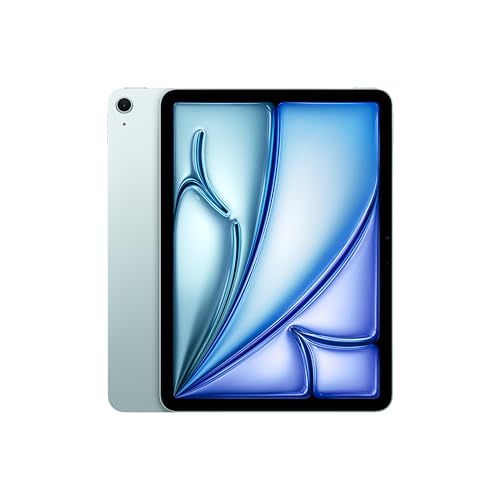
Apple iPad Air 11" (M2, 2024)
iPad Air M2 delivers the M2 chip and Apple Pencil Pro compatibility at $599 — $400 less than the 11-inch Pro. The Liquid Retina display doesn't match OLED, but for productivity, note-taking, and media consumption, the Air's display is excellent. This is the iPad we recommend to most people who don't need OLED.
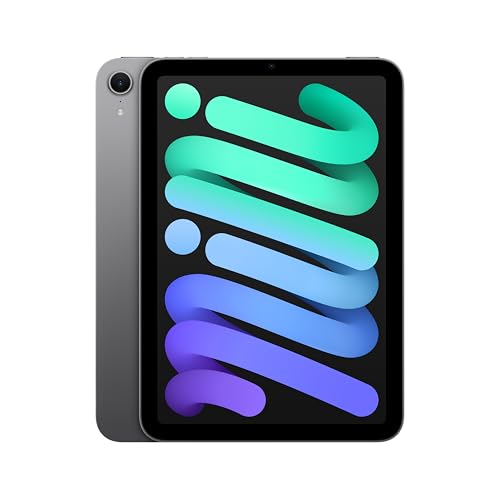
Apple iPad mini (7th Gen, 2024)
iPad mini 7th gen fits in a jacket pocket and still runs the same iPadOS as its larger siblings. A8 chip is fast enough for any app, and the 8.3-inch display is surprisingly usable for reading, sketching, and media. The only iPad that's genuinely pocketable.
Side-by-Side Comparison
| Product | Score | Price | Processor | RAM | Storage | Display | Battery |
|---|---|---|---|---|---|---|---|
Best for Professionals | 8.7 | $1,299 | Apple M4 (9-core CPU, 10-core GPU) | 8 GB – 16 GB | 256 GB – 2 TB | 13" Ultra Retina XDR Tandem OLED, 2752×2064 | Up to 10 hours |
Best for Most People | 8.8 | $599 | Apple M2 (8-core CPU, 10-core GPU) | 8 GB | 128 GB – 1 TB | 11" Liquid Retina IPS, 2360×1640, 60Hz | Up to 10 hours |
Best Compact iPad | 8.5 | $499 | Apple A17 Pro (6-core CPU) | 8 GB | 128 GB – 512 GB | 8.3" Liquid Retina, 2266×1488, 60Hz | Up to 10 hours |
What to Look for When Buying
iPad Pro vs. iPad Air: the main differences are OLED vs. Liquid Retina display, Thunderbolt vs. USB 3, and Apple Pencil Pro vs. second-gen Pencil compatibility (both support Apple Pencil Pro now). The display is the biggest practical difference — OLED's infinite contrast ratio makes the Pro noticeably better for media consumption and art. If the display delta doesn't justify $400, the Air is the right choice.
Storage: iPads cannot expand storage after purchase. Start with 256GB if you store local media or use the iPad as a creative tool. 128GB is the practical minimum for most users; 64GB fills up faster than expected once apps, photos, and downloaded content accumulate.
Cellular vs. Wi-Fi only: cellular adds $150-200 to the iPad's cost plus a monthly plan. Most iPad owners use Wi-Fi almost exclusively — their phone's hotspot covers the occasional need for mobile data. Only buy cellular if you regularly use the iPad in locations without Wi-Fi access.
Keyboard and Apple Pencil costs add up. A Magic Keyboard for iPad adds $299-349; Apple Pencil Pro is $129. These accessories push even a 'budget' iPad Air into laptop territory. Factor accessory costs into your budget decision — a $599 Air with keyboard and Pencil is $1,127.
Want to see every Tablets we've reviewed?
Browse All Tablets →Affiliate Disclosure: TechPicksPro participates in affiliate programs including the Amazon Associates Program. When you purchase through links on our site, we may earn a small commission at no additional cost to you. This helps us keep the lights on and continue publishing independent reviews. Our editorial opinions are always our own.