Best Gaming Monitors in 2026
Gaming monitor technology has bifurcated: QD-OLED panels offer perfect blacks and stunning color at the cost of burn-in risk, while mini-LED panels offer peak brightness that OLED can't match with no burn-in concern. Both are dramatically better than the IPS gaming monitors from four years ago. Here's how to navigate the choice.
Updated June 22, 2026
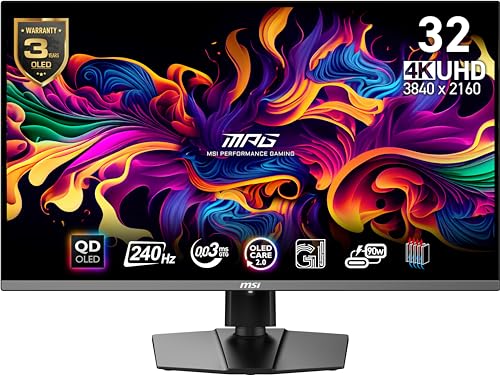
MSI MPG 321URX QD-OLED
MSI MPG 321URX QD-OLED combines 4K resolution, 240Hz refresh rate, and QD-OLED panel technology — specs that seemed incompatible two years ago. For single-player games where both resolution and smoothness matter, it's the benchmark for what a gaming monitor can be.
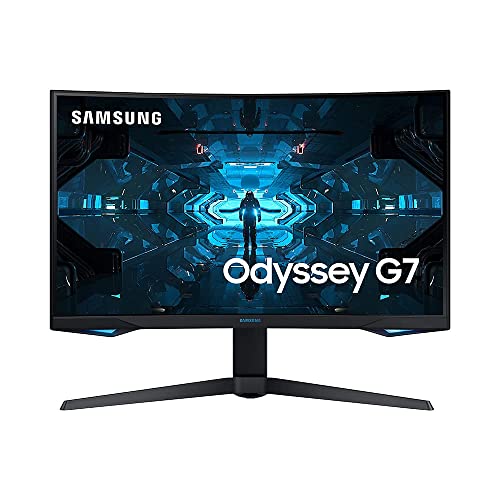
Samsung 32" Odyssey G7 (LC32G75T)
Odyssey G7 32 delivers a 165Hz VA panel with excellent contrast and 1000R curve at $549 — a significant step down in price from OLED without sacrificing the panel size or refresh rate. VA's contrast ratio advantage over IPS makes dark game scenes look dramatically better.
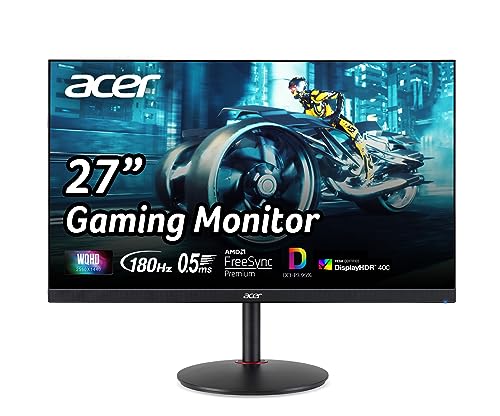
Acer Nitro XV272U V3
At $229, the Acer Nitro XV272U V3 provides 170Hz, 1440p resolution, and IPS panel quality that competently handles both gaming and productivity. It's the monitor we recommend to anyone getting started with PC gaming who doesn't want to start at 1080p.
Side-by-Side Comparison
| Product | Score | Price | Panel | Resolution | Refresh Rate | Response Time | HDR |
|---|---|---|---|---|---|---|---|
Best 4K Gaming Monitor | 8.8 | $1,099 | 31.5" QD-OLED | 4K UHD 3840×2160 | 240Hz | 0.03ms GtG | DisplayHDR True Black 400 |
Best Value 1440p Gaming | 8.3 | $549 | 32" VA QLED | QHD 2560×1440 | 240Hz | 1ms GtG | VESA DisplayHDR 600 |
Best Entry-Level Gaming Monitor | 8.4 | $229 | 27" IPS | QHD 2560×1440 | 180Hz | 0.5ms GtG | VESA DisplayHDR 400 |
What to Look for When Buying
Refresh rate sweet spots: 144Hz is the baseline where gaming feels smooth; 165-180Hz is a perceptible improvement for most people; 240Hz+ is primarily useful for competitive FPS players where 0.5ms timing advantages matter. 360Hz+ offers diminishing returns that most players cannot perceive.
Panel types matter for different use cases. IPS panels offer wide viewing angles and accurate color — good for split-screen gaming or playing while others watch. VA panels have higher native contrast, making dark games look better. OLED has infinite contrast and is the best for single-player games in dim rooms. Mini-LED bridges the gap in bright rooms.
Burn-in risk on OLED: static UI elements (desktop icons, game HUDs, taskbars) can cause permanent image retention on OLED panels over time. Gaming OLEDs have burn-in mitigation features, but the risk is real — especially for games with persistent HUDs or PC desktop use. If you leave a monitor on for 8+ hours daily showing static content, consider mini-LED instead.
HDR quality varies enormously by certification tier. DisplayHDR 400 is essentially useless — it requires only 400 nits and no local dimming. DisplayHDR 1000 or VESA True Black 400 are meaningful. QD-OLED's DisplayHDR True Black 400 achieves 1000+ nits in highlights while maintaining perfect blacks — a practical advantage that exceeds many higher-certified mini-LED monitors.
Want to see every Monitors we've reviewed?
Browse All Monitors →Affiliate Disclosure: TechPicksPro participates in affiliate programs including the Amazon Associates Program. When you purchase through links on our site, we may earn a small commission at no additional cost to you. This helps us keep the lights on and continue publishing independent reviews. Our editorial opinions are always our own.