Best 4K Monitors in 2026
4K monitors in 2026 range from $399 IPS panels adequate for productivity to $1,099 QD-OLED gaming displays that set new standards for image quality. The right pick depends entirely on whether you're prioritizing color accuracy, gaming frame rates, or HDR performance.
Updated June 22, 2026
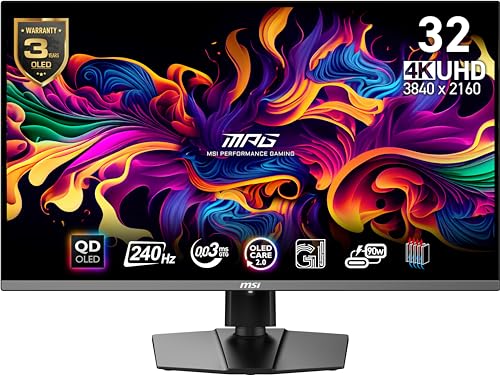
MSI MPG 321URX QD-OLED
MSI MPG 321URX QD-OLED redefines what a 4K gaming monitor can be: 240Hz refresh rate, QD-OLED panel, 0.03ms GtG response, and DisplayHDR True Black 400. The combination of resolution, speed, and panel quality previously required compromising one for the other.
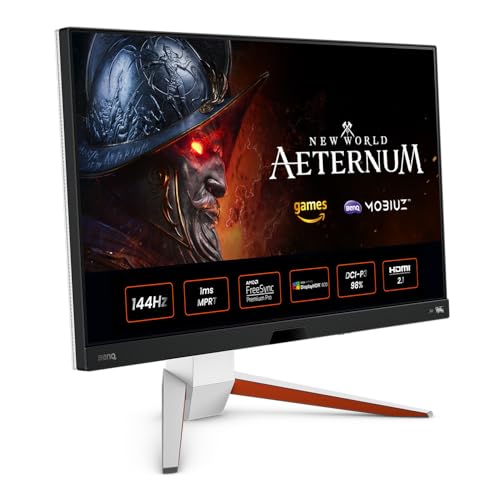
BenQ MOBIUZ EX2710U
BenQ MOBIUZ EX2710U is a 4K 144Hz IPS monitor with built-in 2.1 speaker system and HDR400 — a solid allrounder for mixed gaming and productivity use. IPS panel's wide viewing angle makes it better than VA for productivity; 144Hz is adequate for most 4K gaming.
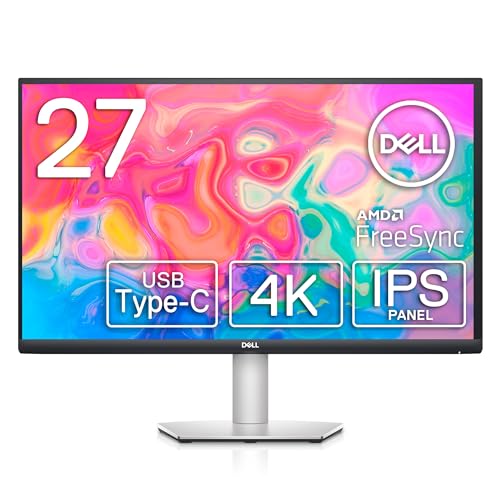
Dell S2722QC 27" 4K USB-C Monitor
Dell S2722QC at $399 offers 4K IPS with USB-C 65W power delivery — unusual at this price. The panel's color accuracy is better than most budget monitors, and Dell's build quality is consistently reliable. Refresh rate is only 60Hz, limiting it to productivity and media rather than gaming.
Side-by-Side Comparison
| Product | Score | Price | Panel | Resolution | Refresh Rate | Color Coverage | HDR |
|---|---|---|---|---|---|---|---|
Best 4K Gaming Monitor | 8.8 | $1,099 | 31.5" QD-OLED | 4K UHD 3840×2160 | 240Hz | — | DisplayHDR True Black 400 |
Best 4K Allrounder | 8.2 | $749 | 27" IPS | 4K UHD 3840×2160 | 144Hz | — | VESA DisplayHDR 1400 |
Best Budget 4K Monitor | 8.0 | $399 | 27" IPS | 4K UHD 3840×2160 | 60Hz | 95% sRGB | — |
What to Look for When Buying
4K at 27 inches vs. 32 inches: at 27 inches, 4K pixels are dense enough to look sharp at normal desk distances (24-30 inches). At 32 inches, the pixel density drops slightly but the larger canvas is easier to use for multitasking without scaling. Most professional monitors are 27 inches; most content monitors are 32 inches.
Refresh rate at 4K is GPU-limited. Driving a 4K/144Hz monitor requires an RTX 4070 Ti or RX 7900 XT — entry-level GPUs will hit 60-80fps at 4K in modern titles regardless of monitor refresh rate. Buying a 4K/240Hz monitor makes sense only if your GPU can actually push 240fps at 4K.
USB-C connectivity is increasingly standard on premium 4K monitors and enables single-cable laptop connections. At 65W power delivery, USB-C can power most ultrabooks during use. Check the wattage — some monitors advertise USB-C but deliver only 45W or 15W, which won't charge a gaming laptop.
Calibration: factory-calibrated monitors (typically designated 'professional' or 'ProArt' lines) come with a deltaE report. For color-critical work, this matters; for gaming and casual use, it doesn't. The difference between factory-calibrated and uncalibrated IPS panels is significant for photo and video work, barely perceptible for everything else.
Want to see every Monitors we've reviewed?
Browse All Monitors →Affiliate Disclosure: TechPicksPro participates in affiliate programs including the Amazon Associates Program. When you purchase through links on our site, we may earn a small commission at no additional cost to you. This helps us keep the lights on and continue publishing independent reviews. Our editorial opinions are always our own.